Scan
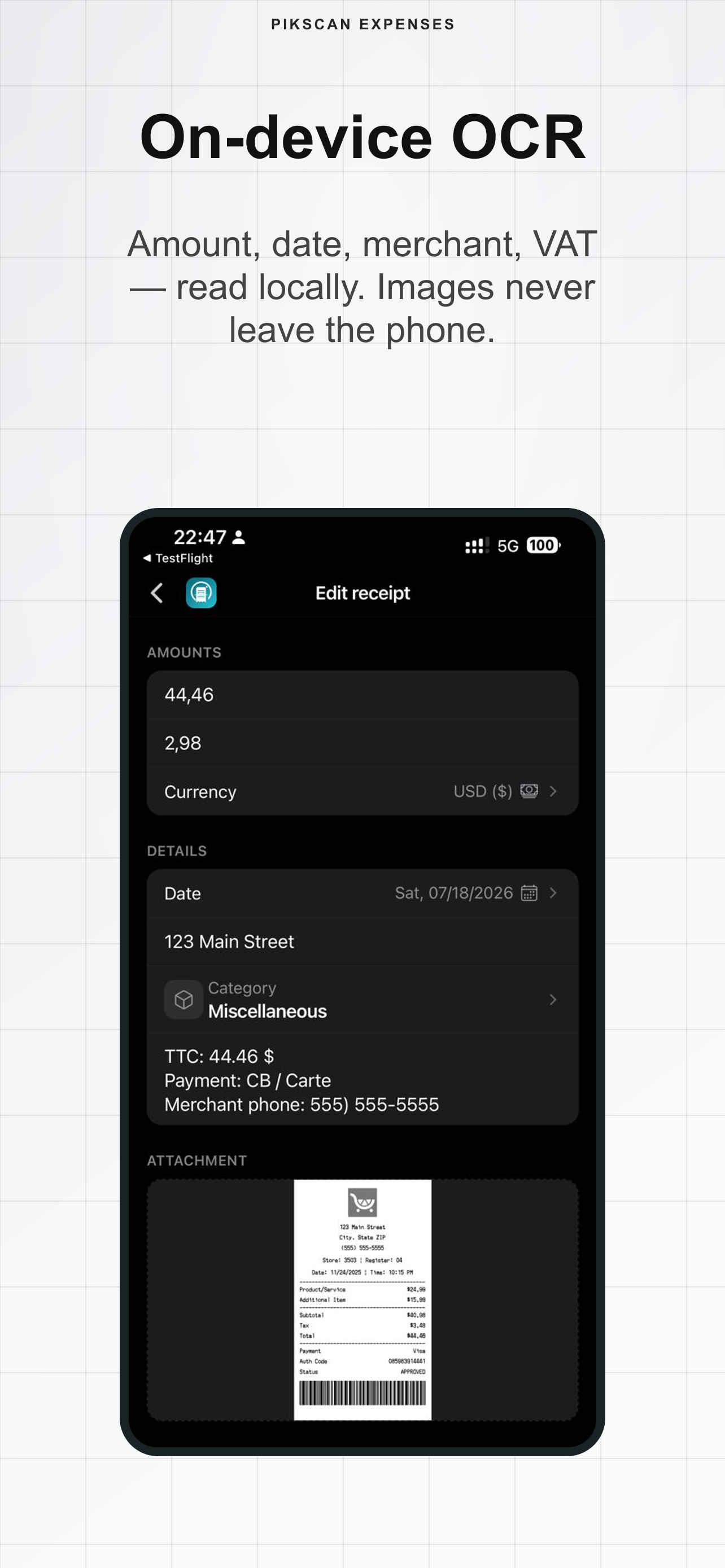
Snap receipts on device. Local OCR fills amount, date, merchant, VAT and category - images stay on the phone.
Scan receipts, track trip spend, export expense notes. Offline. No cloud. No account.
5.0 on the App Store · iPhone
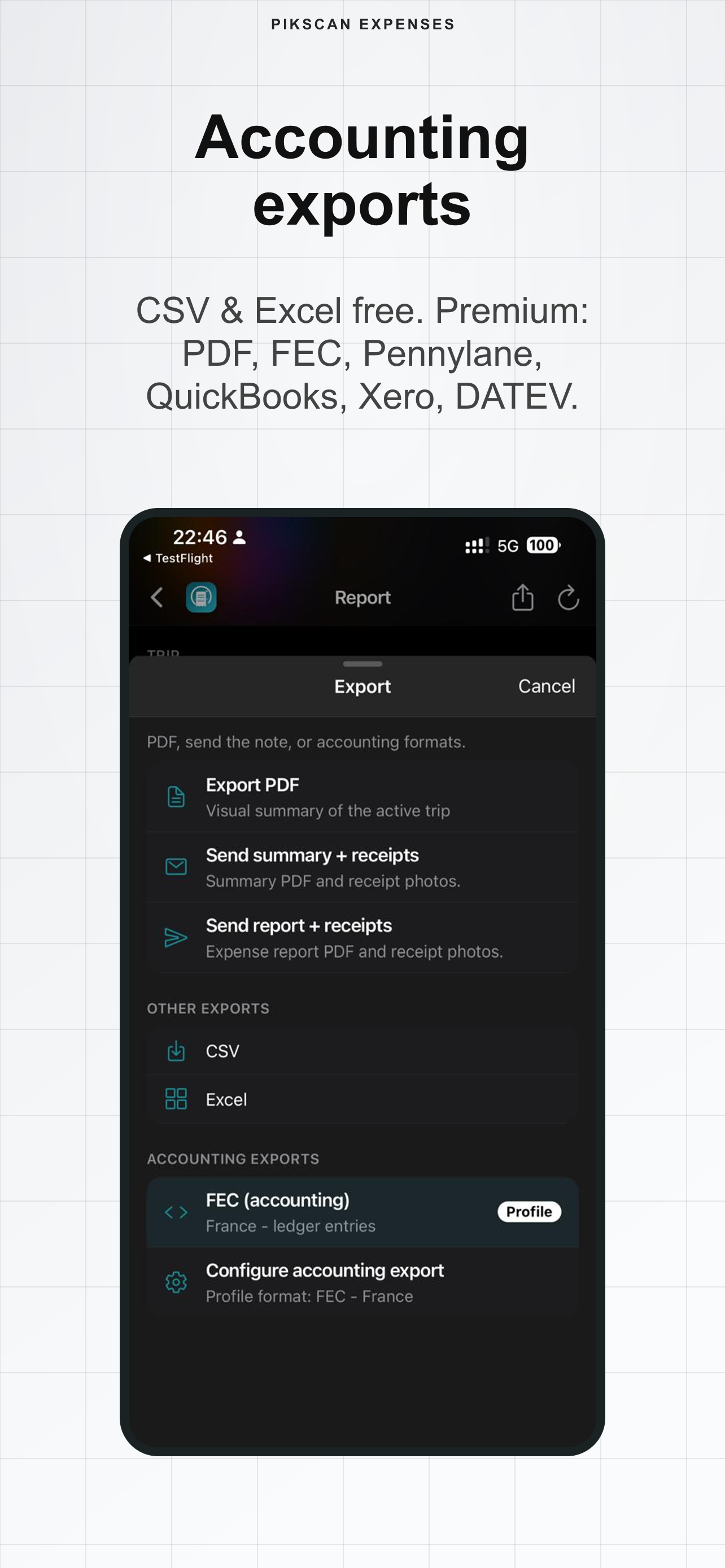
Export to the accounting tools you already use
Without the right tool, receipts pile up, amounts get fuzzy, and finance waits weeks for a clean report.
Photo piles and paper slips never become a clean expense note after the trip.
You cannot enter expenses properly without a network - and you do not want to upload sensitive receipts.
Hours wasted retyping amounts, VAT and dates instead of focusing on the trip.
By the time you remember, finance has been waiting weeks for a clean report.
Sensitive receipts stored on a third-party server you don't control.
Without capture on the spot, tickets pile up and amounts get fuzzy within days.
PikScan Expenses turns trip receipts into structured expense notes on your phone - ready for CSV, Excel or accounting formats when you get back.
Not a cloud ledger. Not a photo album of receipts. A complete tool from scan to accounting export.
Snap receipts on device. Local OCR fills amount, date, merchant, VAT and category - images stay on the phone.
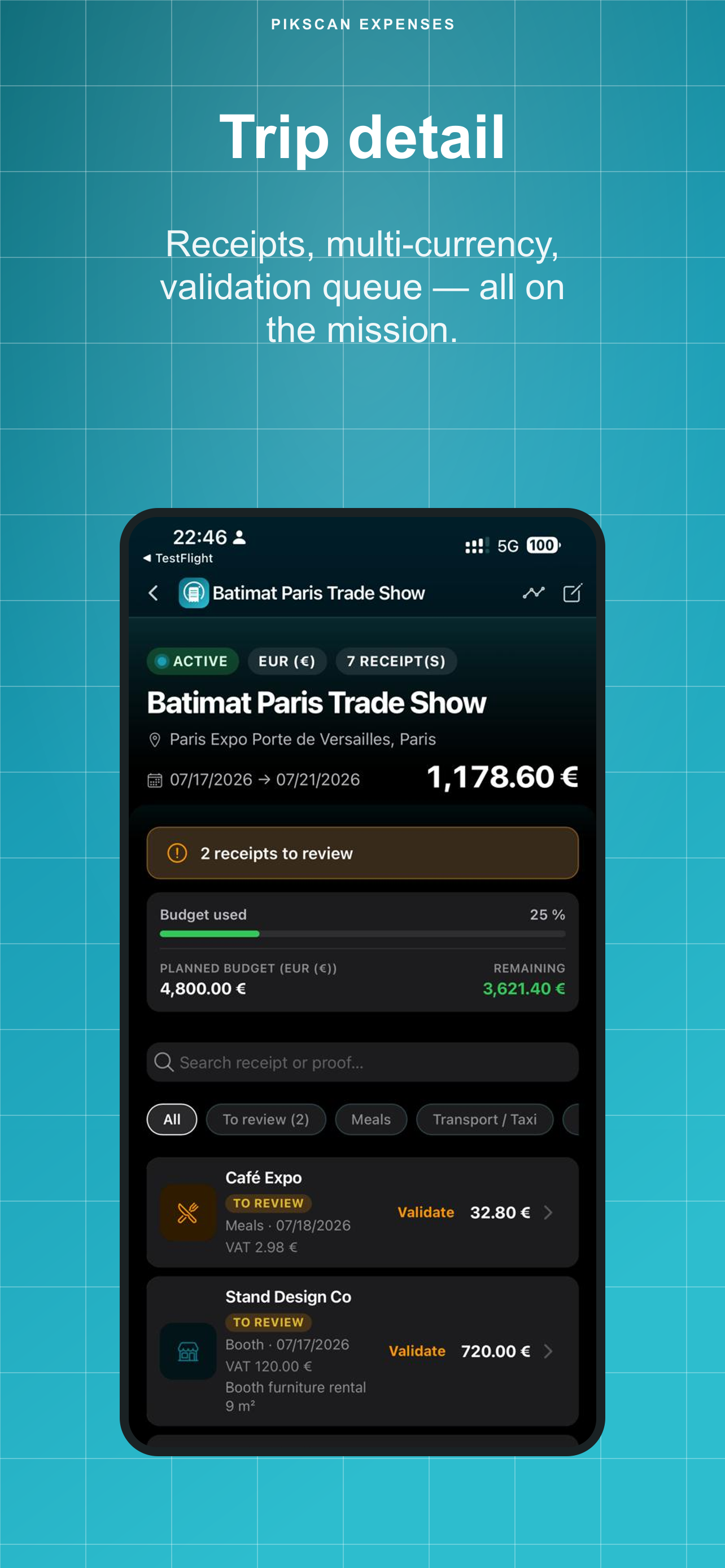
Attach receipts and mileage trips to missions with budgets, categories, multi-currency and expense-note approval statuses.
CSV & Excel free. Premium unlocks PDF plus FEC, Pennylane, QuickBooks, Xero, DATEV and more.
Most expense apps rely on a third-party cloud.
PikScan doesn't.
Scan, organize and export directly on your iPhone.
Offline capture, data on your phone, trips & budgets - not just another receipt scanner.
Scan, organise and export: your receipts are ready for accounting before you leave.
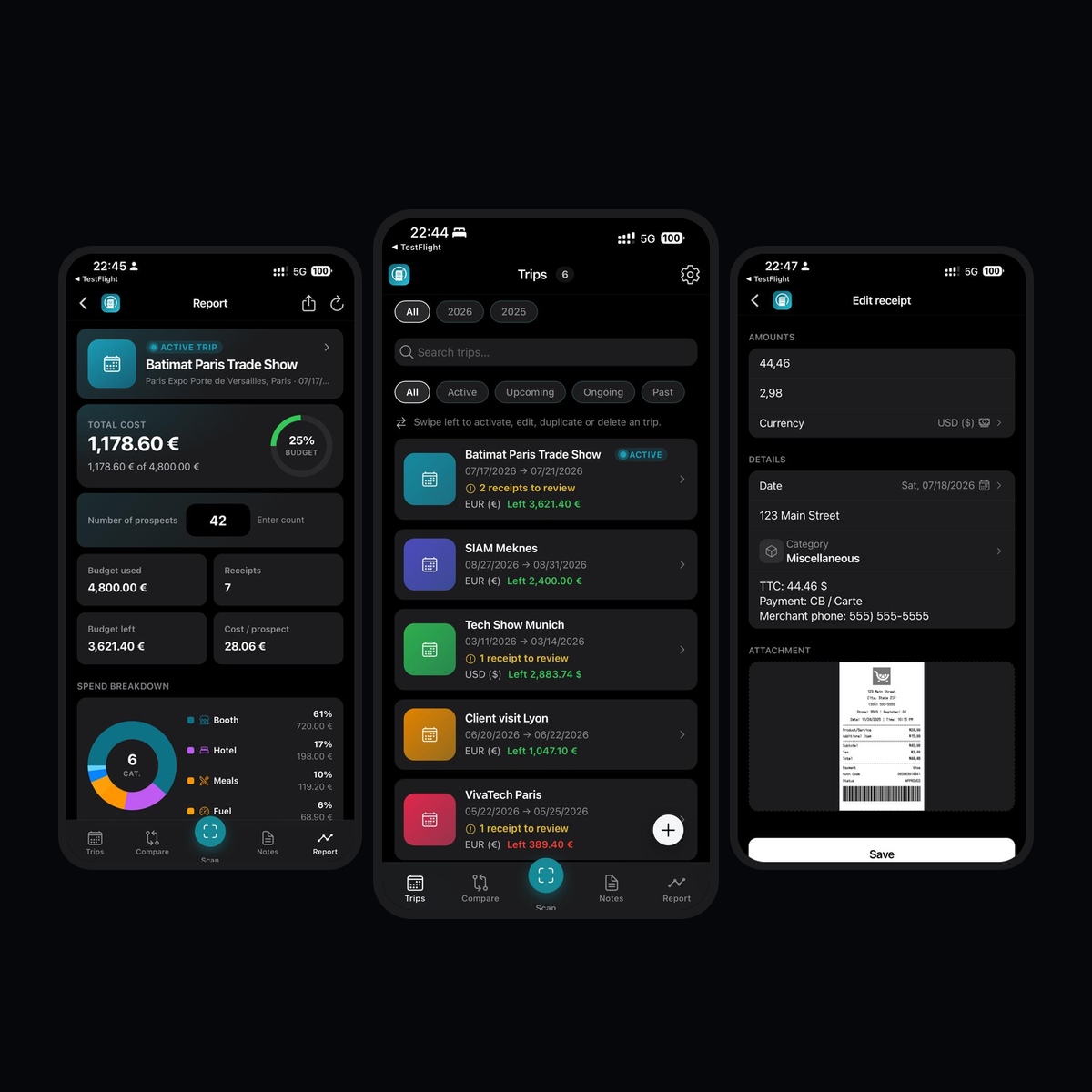
Scan, log mileage, categorize, approve and export - without three different tools.
Amount, date, merchant, VAT and category are read on your phone - images never leave the device.
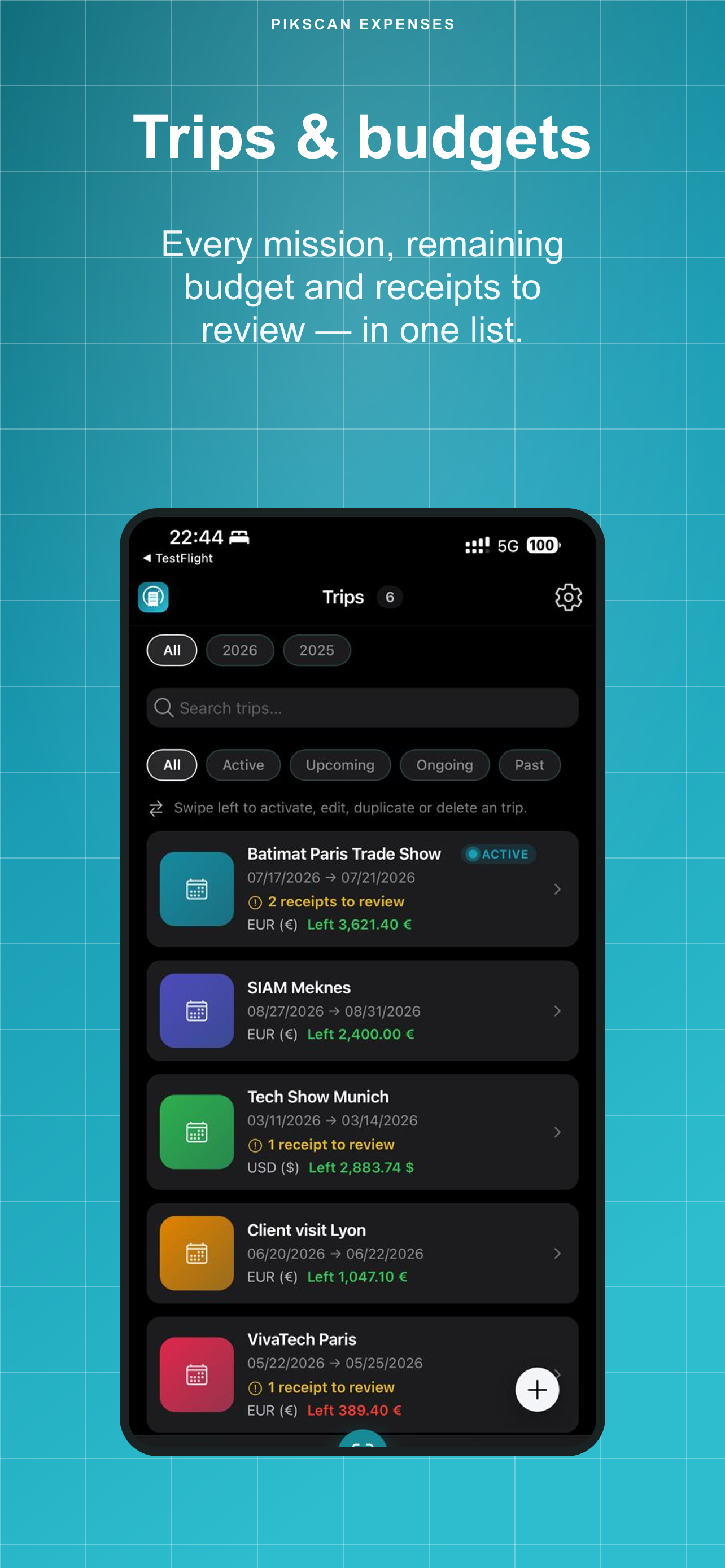
Create each mission with dates, location, currency and planned budget, then attach every receipt.
Log trips with distance, round trip and a configurable per-km rate - in the trip currency. Totals and exports include mileage allowances.
Capture one receipt or queue up to 10, review OCR fields, then save to the active trip.
Meals, taxi, flight, train, fuel, parking, hotel, show tickets, misc - plus custom names, icons and colors.
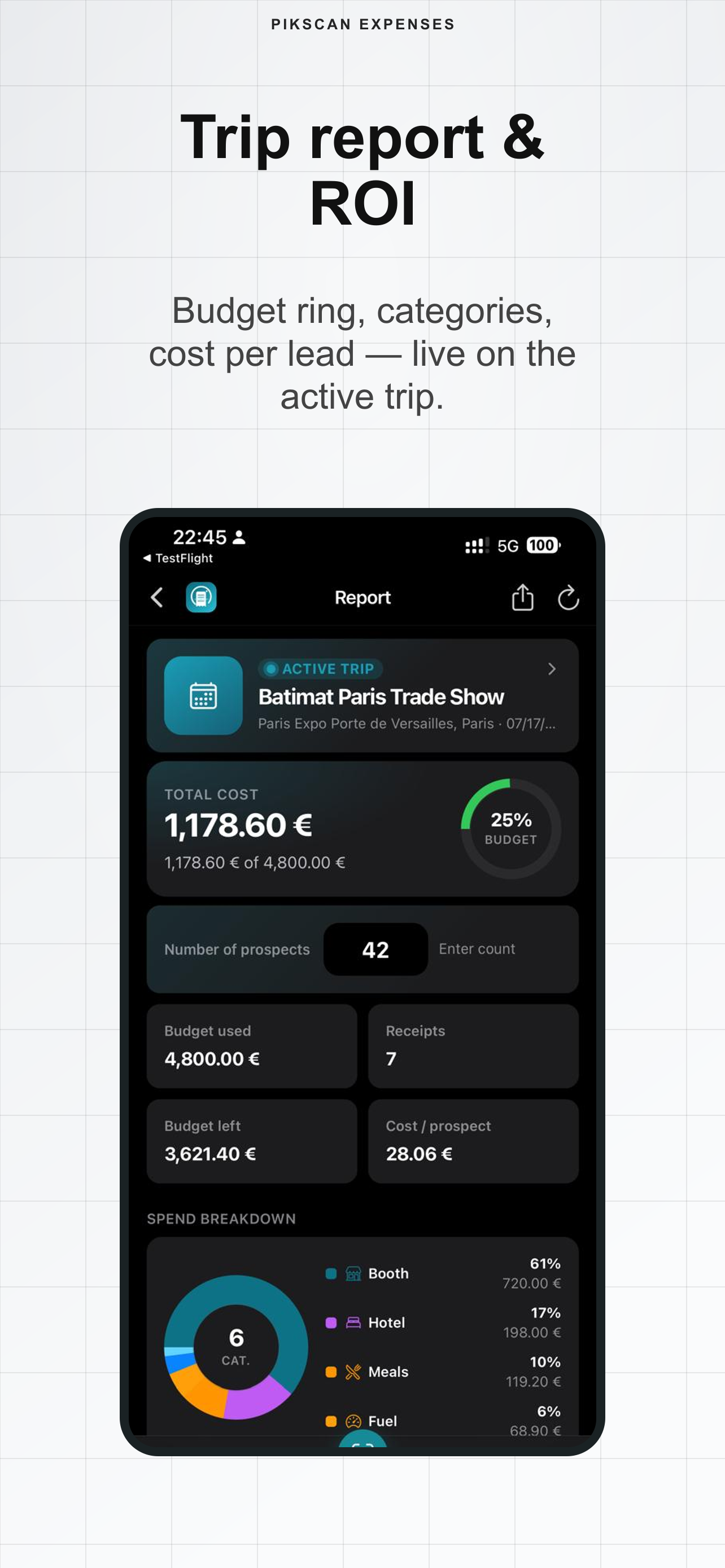
Total spend (receipts + mileage), budget ring, VAT, category breakdown and cost per prospect on the active trip.
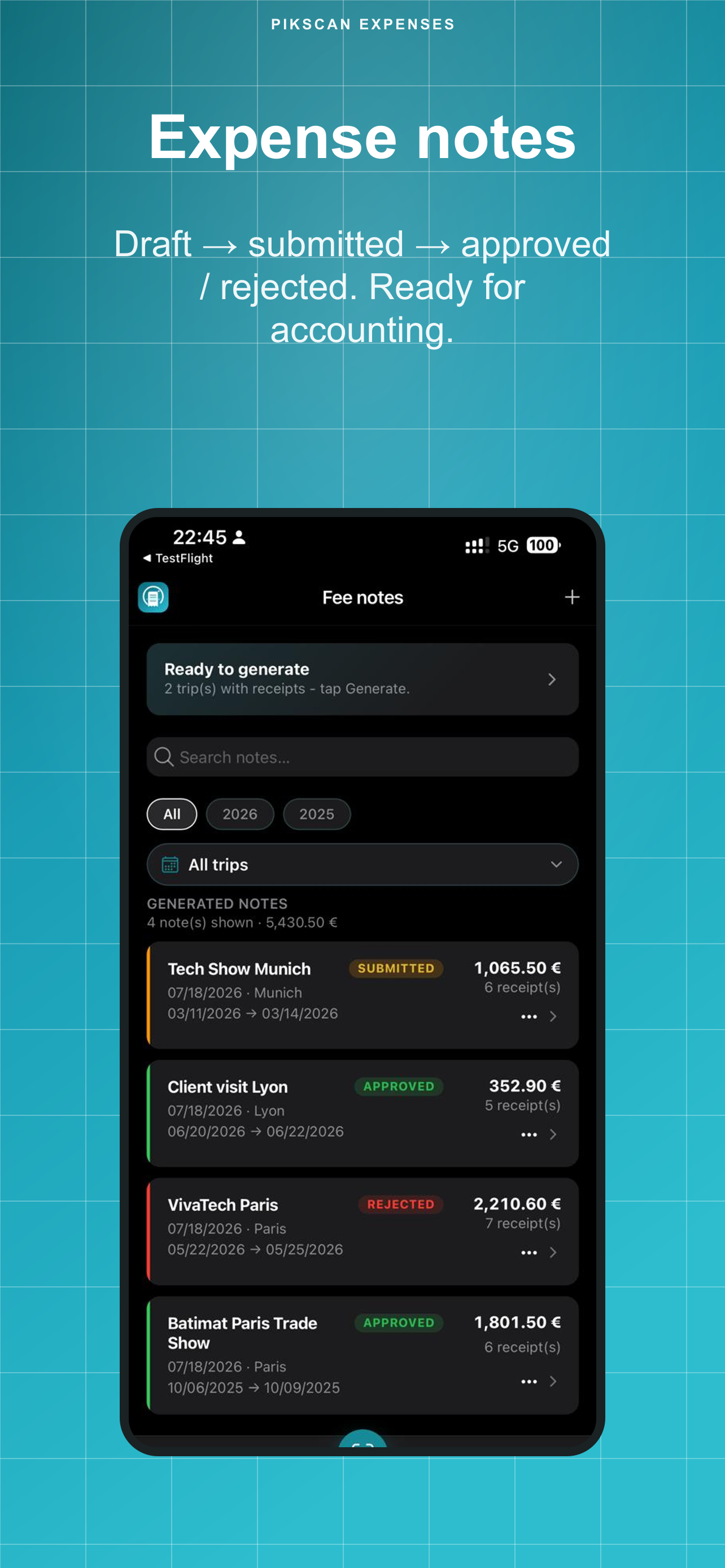
Generate a note from a trip, then move draft → submitted → approved / rejected with manager comment.
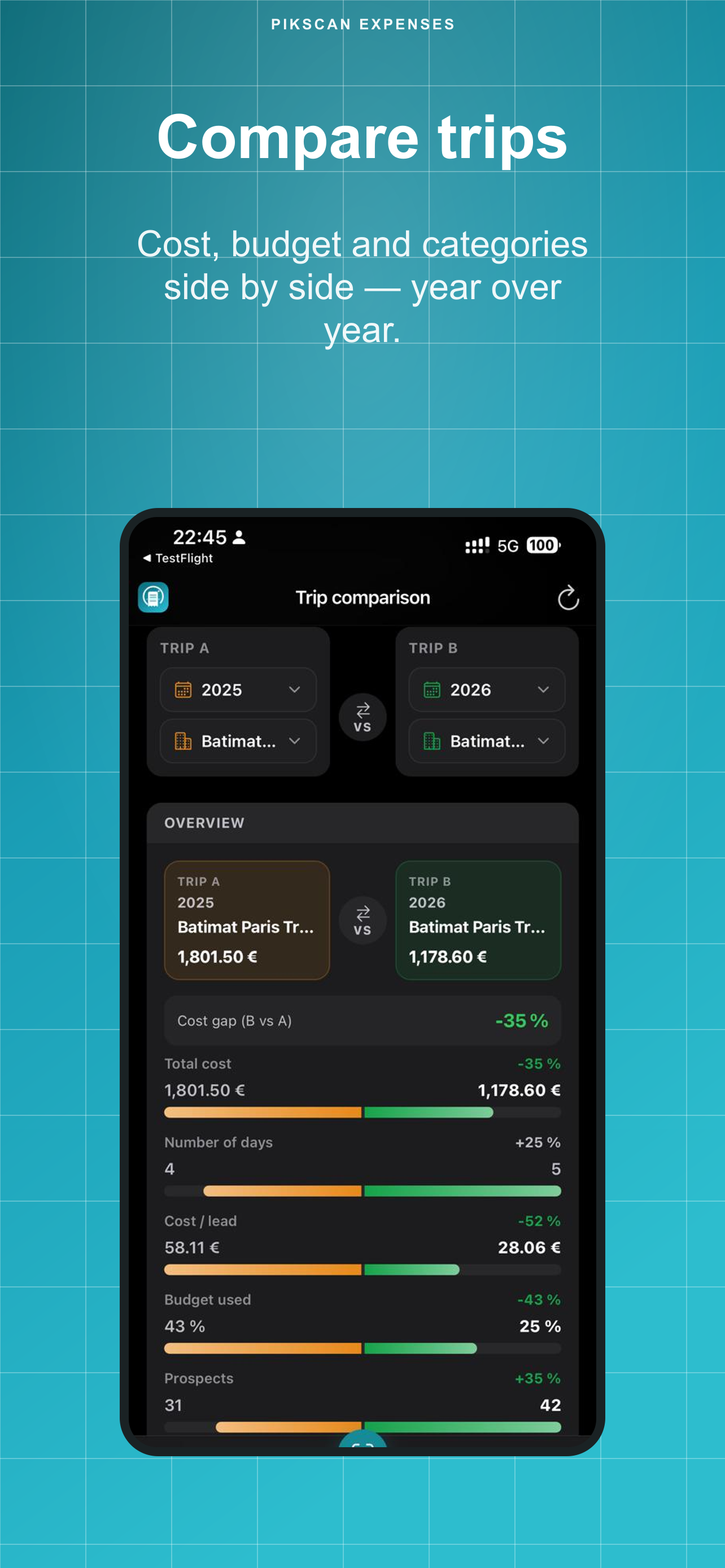
Put two trips side by side: total cost, days, budget %, shared categories (year-over-year).
Profile currency, per-trip currency with indicative EUR rates, consolidated report.
CSV & Excel free. Premium: PDF, FEC, Pennylane, QuickBooks, Xero, DATEV, Sage, Wave, FreshBooks.
Face ID, fingerprint or device passcode when returning to the app.
Dates, venue and planned budget for each mission (trade show, client visit, travel).
Snap one receipt or up to 10 in a batch. Local OCR fills amount, date, merchant, VAT and category.
Track totals vs budget (including mileage), cost per prospect, then export CSV/Excel (free) or PDF & accounting formats (Premium).
~€2.50/month · Save ~50% · Best value
Subscriptions via the App Store & Google Play · 7-day free trial · No account required
Review on the App Store
accounting+SCAN
"We used to juggle three different tools. Now scan, trips, expense notes, and accounting export all live in one app."
Review on the App Store
SCAN
"Nous utilisions trois outils distincts. Aujourd'hui, le scan, les missions, les notes de frais et l'export comptable sont centralisés dans une seule application."
Review on the App Store
Great app
"A practical app that works really well."
The receipts you scan on a trip are the backbone of your expense report. They shouldn't transit through a third-party cloud, a US SaaS database, or anyone else's server.
Receipt OCR runs entirely on your device. No image is sent to any server. Not even ours.
Receipts, trips, mileage and expense notes are stored in a local SQLite database on your iPhone. You own your data.
Scan, organize and export with zero network. Ideal when connectivity is poor, absent, or simply unreliable on the road.
GDPR-compliant by design, not by configuration. Privacy policy →
Scan, storage, expense notes and export work without internet. Everything stays on your phone in local SQLite. OCR runs on device. PikScan collects zero data from the app. You can export a portable backup (local Files or your own iCloud Drive) and restore it in the app at any time. Offline is a privacy design, not a missing backup.
Free: CSV and Excel. Premium: PDF expense report, FEC (France), Pennylane, QuickBooks Online/Desktop, Xero, DATEV, Sage, Wave, FreshBooks, plus ZIP backup with receipt images.
Free includes 30 receipt scans. Deleting a receipt frees quota. Premium unlocks unlimited scans.
A business trip with dates, location, currency and planned budget. Receipts, mileage trips and the expense note attach to that mission. Compare two trips year-over-year.
Yes. Add mileage trips to a mission (distance, round trip, notes). The default rate is set in Settings (profile currency) and follows the trip currency when different. Totals, reports and exports include mileage.
Yes. Scan one receipt or queue up to 10, review OCR fields, then save them to the active trip.
Generate a note from a trip, then move it draft → submitted → approved or rejected (with manager comment).
Offline is not a data-loss risk. Export a backup anytime (Settings → Backup): JSON (free) or a full ZIP with receipt images (Premium). The app also launches a periodic backup reminder on an interval you choose. Save the file locally (Files) or to your own iCloud Drive (iOS) as a static archive you own: not a PikScan cloud. Restore inside the app at any time, by merge or replace.
French, English, German and Spanish. OCR supports major Latin-script languages.
Manage the subscription in your App Store or Google Play account. No interaction with PikScan needed.