On-device OCR
Amount, date, merchant, VAT and category are read on your phone: images never leave the device.
Features
Built for expense reports on the road: scan receipts, manage trips, export to accounting: all offline.
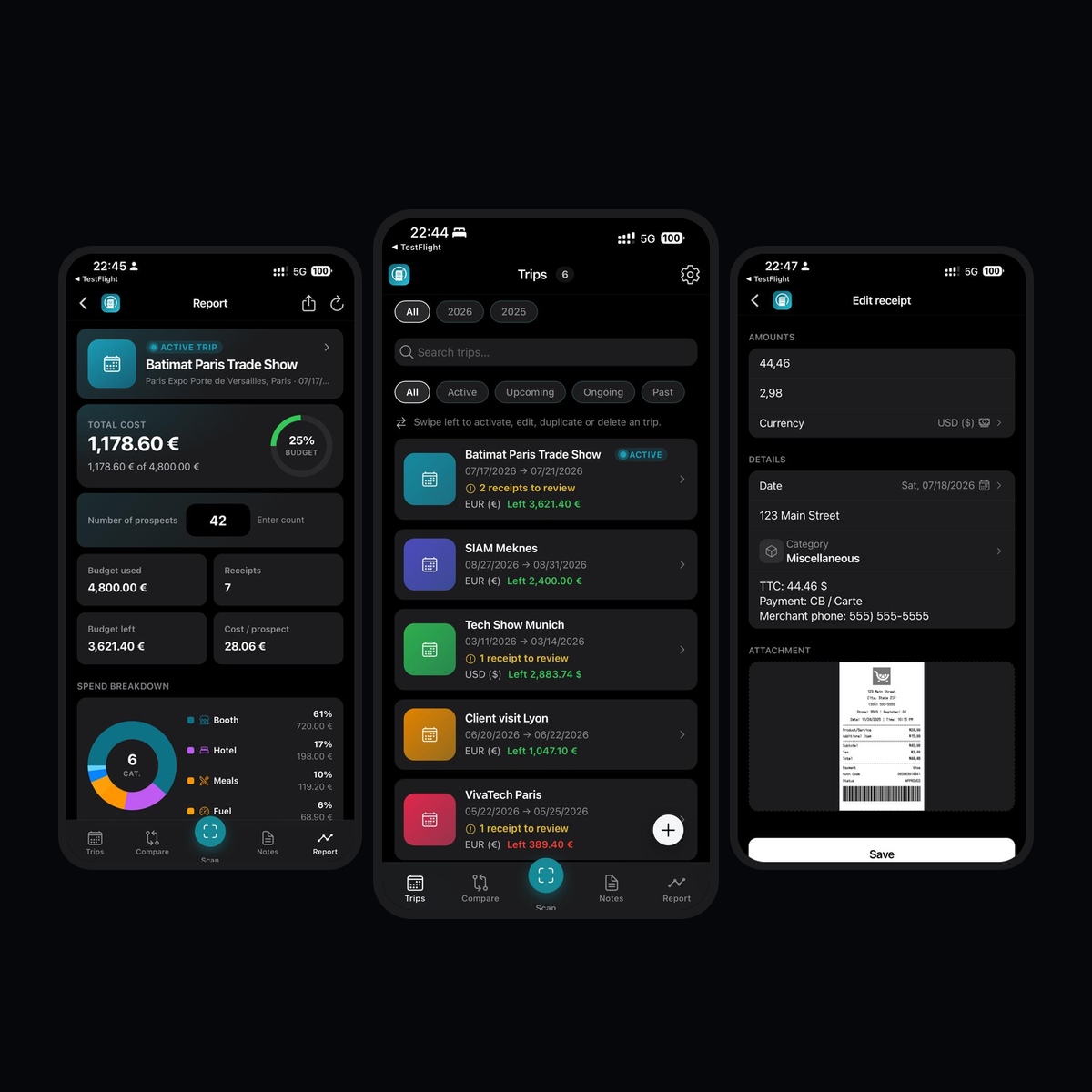
Amount, date, merchant, VAT and category are read on your phone: images never leave the device.
Create each mission with dates, location, currency and planned budget, then attach every receipt.
Log trips with distance, round trip and a configurable per-km rate: in the trip currency. Totals and exports include mileage allowances.
Capture one receipt or queue up to 10, review OCR fields, then save to the active trip.
Meals, taxi, flight, train, fuel, parking, hotel, show tickets, misc: plus custom names, icons and colors.
Total spend (receipts + mileage), budget ring, VAT, category breakdown and cost per prospect on the active trip.
Generate a note from a trip, then move draft → submitted → approved / rejected with manager comment.
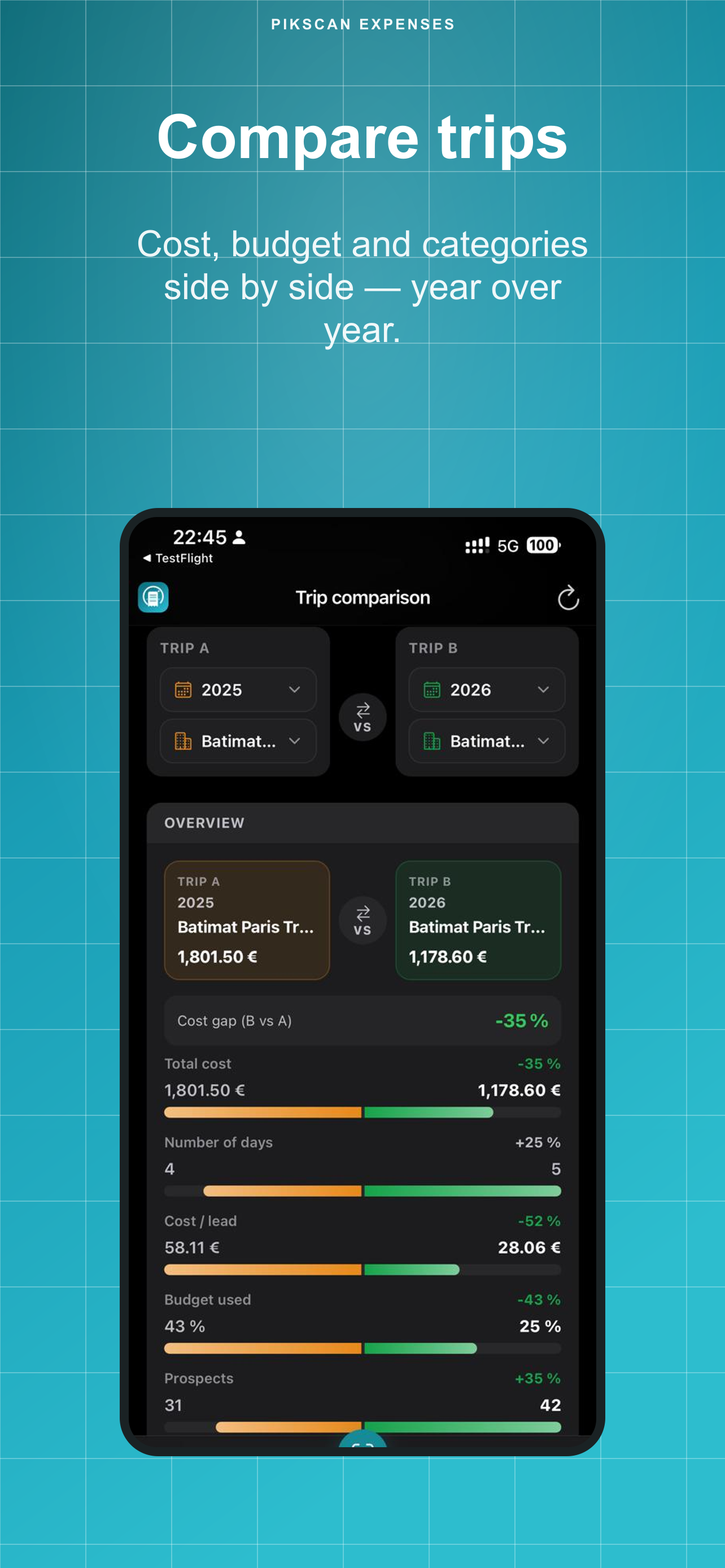
Put two trips side by side: total cost, days, budget %, shared categories (year-over-year).
Profile currency, per-trip currency with indicative EUR rates, consolidated report.
CSV & Excel free. Premium: PDF, FEC, Pennylane, QuickBooks, Xero, DATEV, Sage, Wave, FreshBooks.
Face ID, fingerprint or device passcode when returning to the app.
Trips, receipts and exports stay in local SQLite. Zero cloud. Zero account required.
JSON backup free. Premium ZIP includes receipt images. Manual export anytime, plus a periodic in-app reminder. Save locally or to your own iCloud Drive as a static archive. Restore in the app at any time.
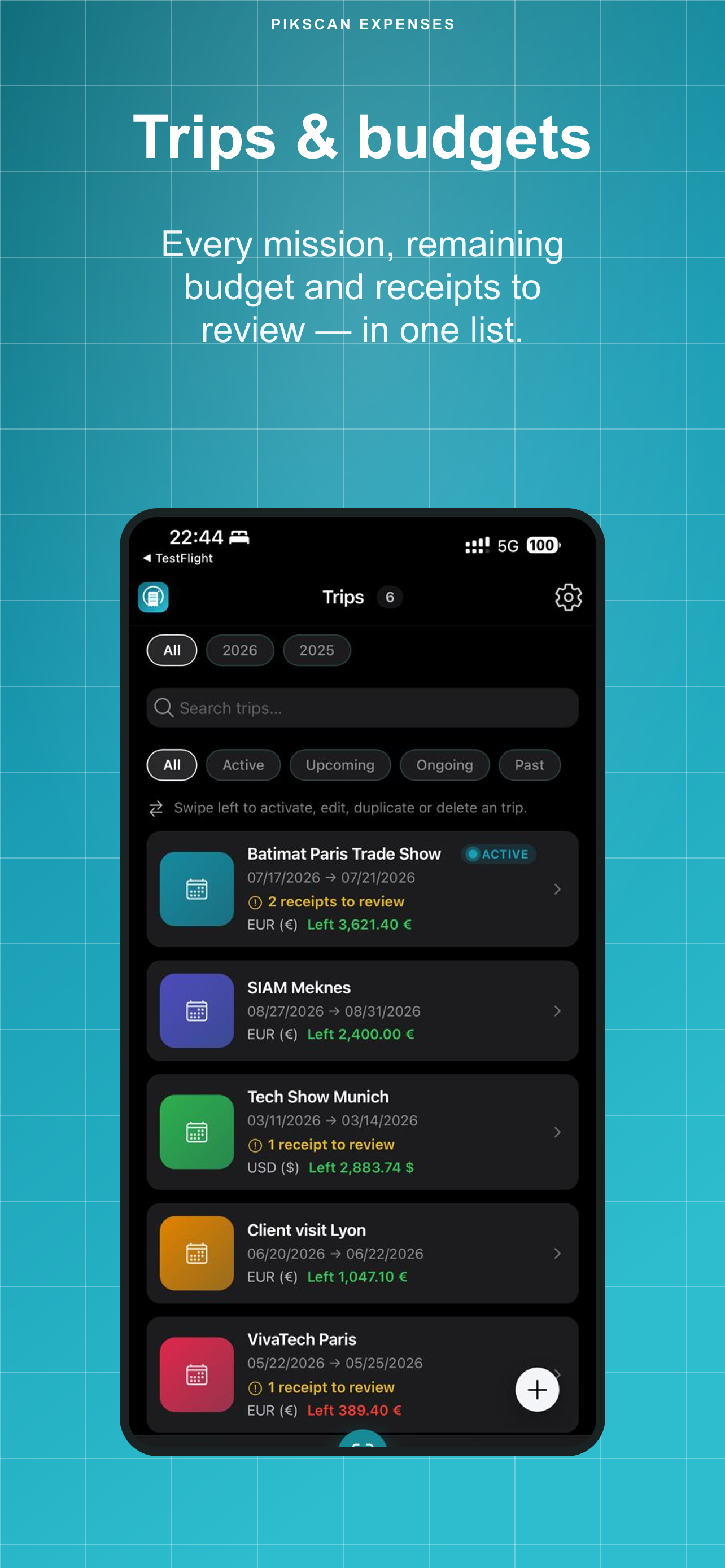
Dates, venue and planned budget for each mission (trade show, client visit, travel).
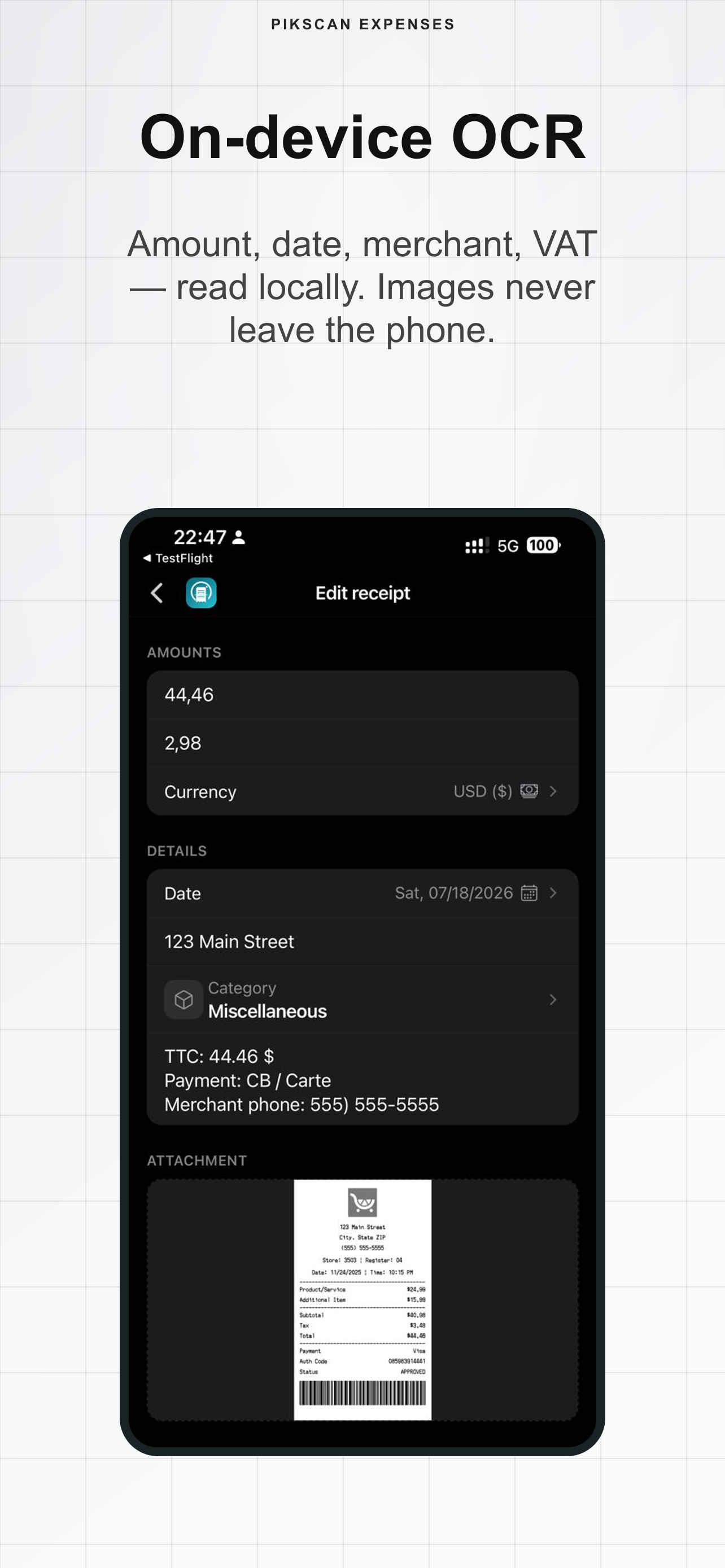
Snap one receipt or up to 10 in a batch. Local OCR fills amount, date, merchant, VAT and category.
Track totals vs budget (including mileage), cost per prospect, then export CSV/Excel (free) or PDF & accounting formats (Premium).